This site uses cookies and other tracking technologies to assist with navigation and your ability to provide feedback, analyse your use of our site and services and assist with our promotional and marketing efforts. You can read more about this in our Privacy Policy.


SKU #: LH75WAFPLGCXEN
EAN #: 8806097620204
UNSPSC #: 44111911
- AndroidTM 15 & Octa-Core CPU- User-friendly UX, powerful performance
- EDLA Certification- Seamless access to Google services
- All-in-One Video Call System- Everything built in for communication
- AI Write & Search- Write. Circle. Search Smarter
| SKU | LH75WAFPLGCXEN |
|---|---|
| EAN | 8806097620204 |
| Manufacturer | Samsung |
| Availability | In Stock |

Best of Show at ISE 2026
Tech & Learcning

Top New Technology(TNT) Awards at ISE 2026
UC & C (Interactive Whiteboards)
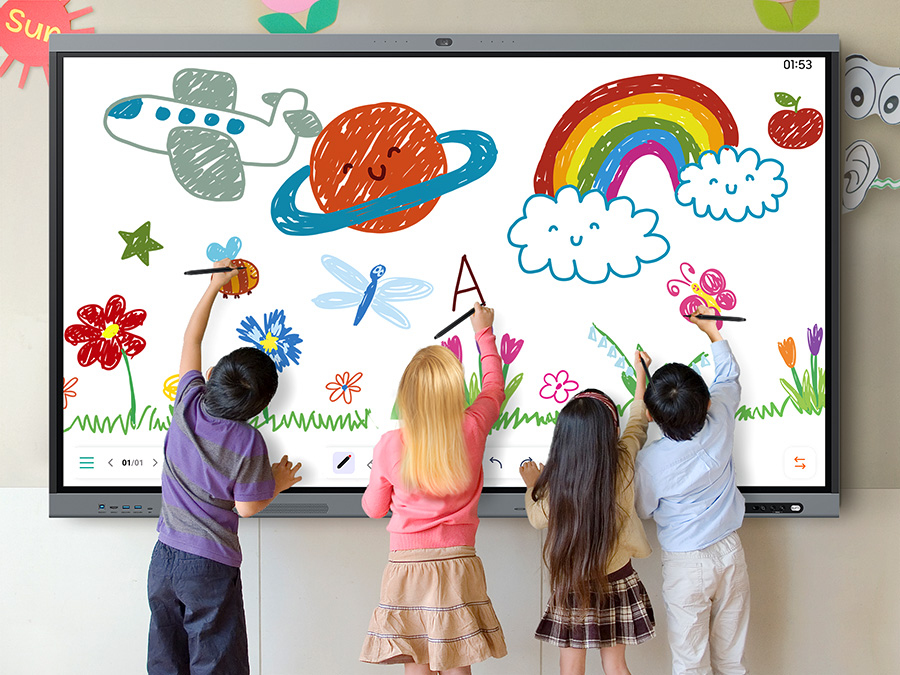
Fast & Precise Writing
Write with precision. Interact without delay.
WAFX-P offers a paper-like writing experience powered by handwriting prediction technology. It captures all writing styles—from fast strokes to subtle pressure—and responsively follows pen movements. Additionally, it supports multi-touch, enabling collaboration for up to 50 users.
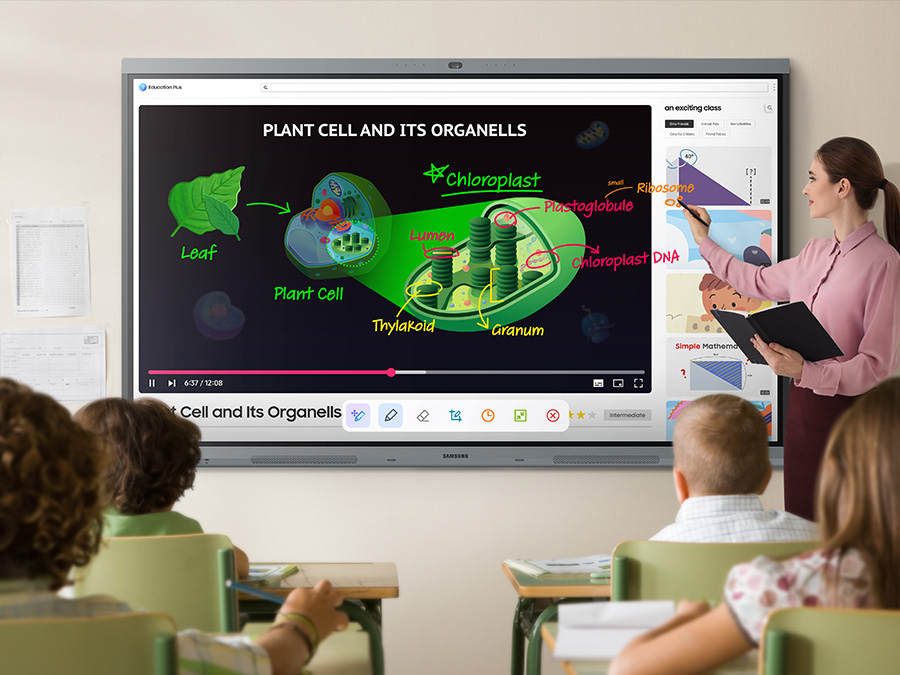
Annotation On
Take notes instantly, anywhere on the screen
Users can quickly write on the screen at any moment, thanks to the easily accessible Annotation function. Whether watching a video or browsing online, theres no need to interrupt the session or take screenshots. This feature makes real-time collaboration effortless.
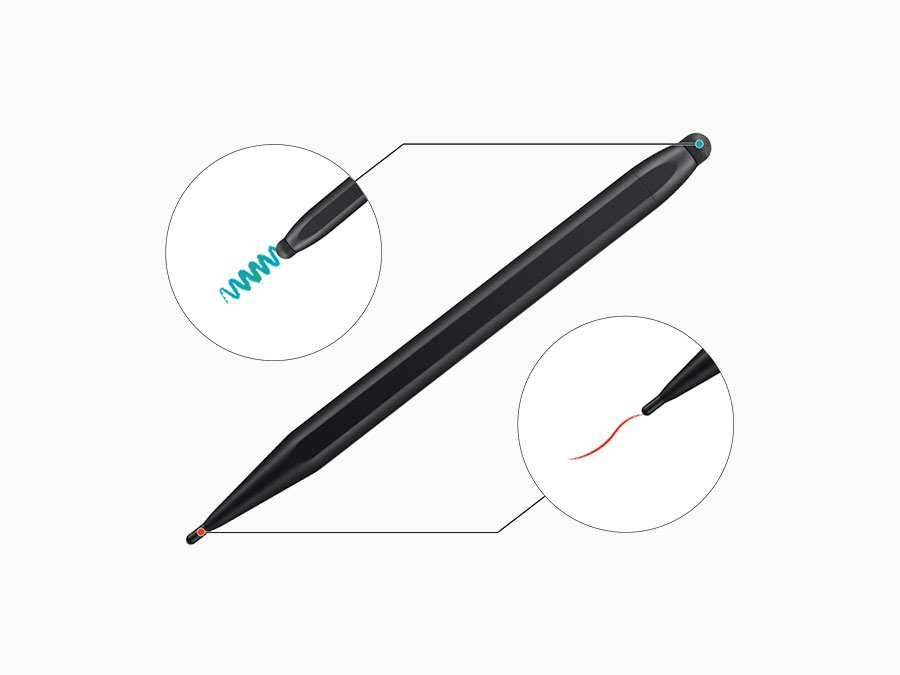
Dual Pen
Switch pens without changing settings
With dual-pen functionality and a double-sided nib, users can switch between two colours or tools instantly. There's no need to change settings — just flip the pen and keep the flow going.
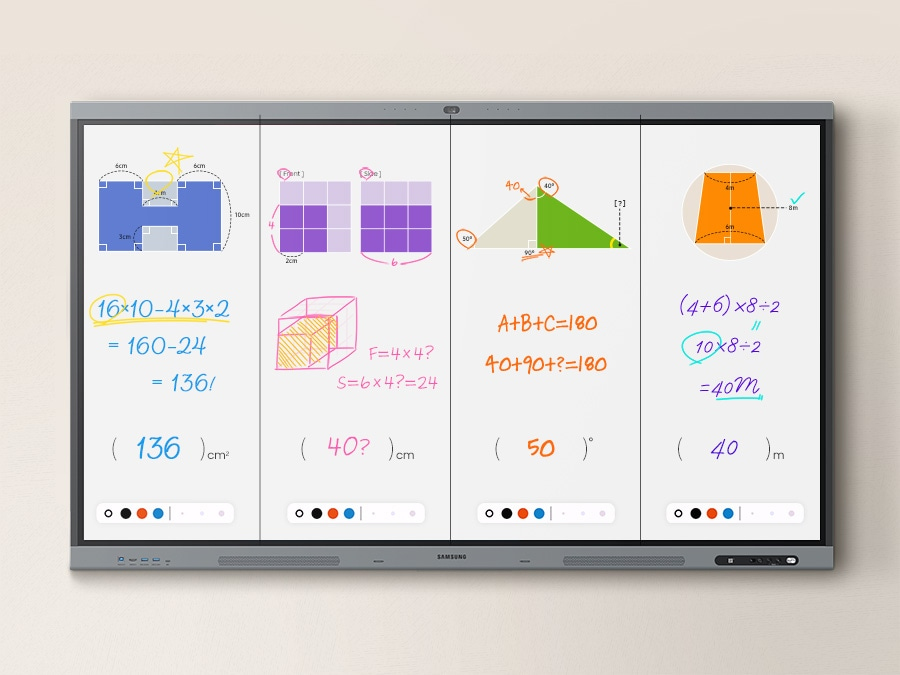
Split Screen Mode
Work side-by-side, in separate spaces
The upgraded Note app supports up to four independent note areas on a single page, allowing multiple students to use the whiteboard function simultaneously. Students can work in their respective areas without affecting others, which benefits both individual learning and collaboration.
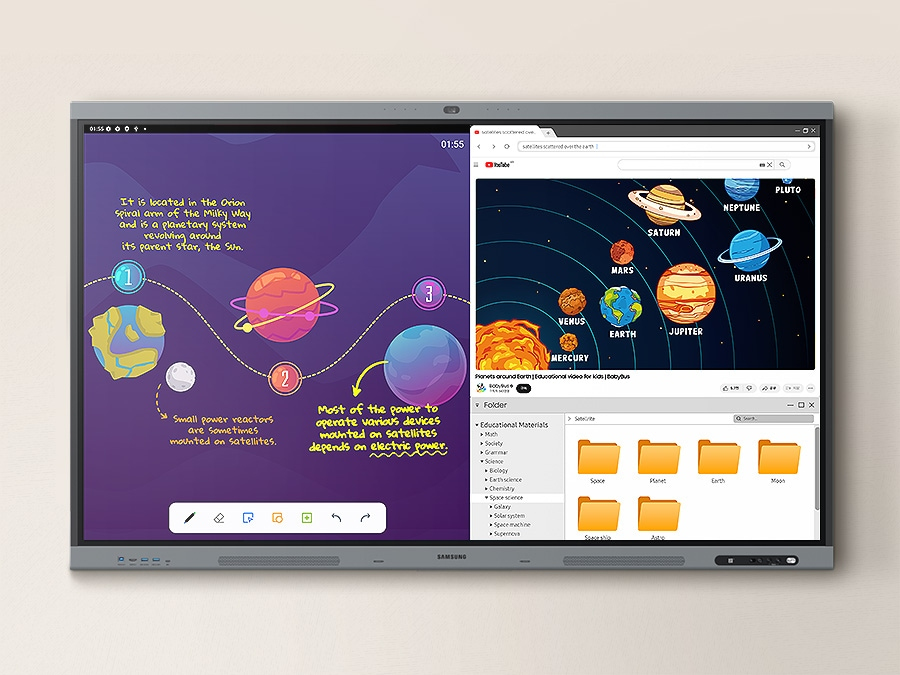
Multi Window Mode
More on display, more impactful lessons
Multi Window mode allows teachers to display multiple content on the screen at once — from lesson materials to educational videos and browser windows. By making multitasking easier, it enables more efficient teaching.
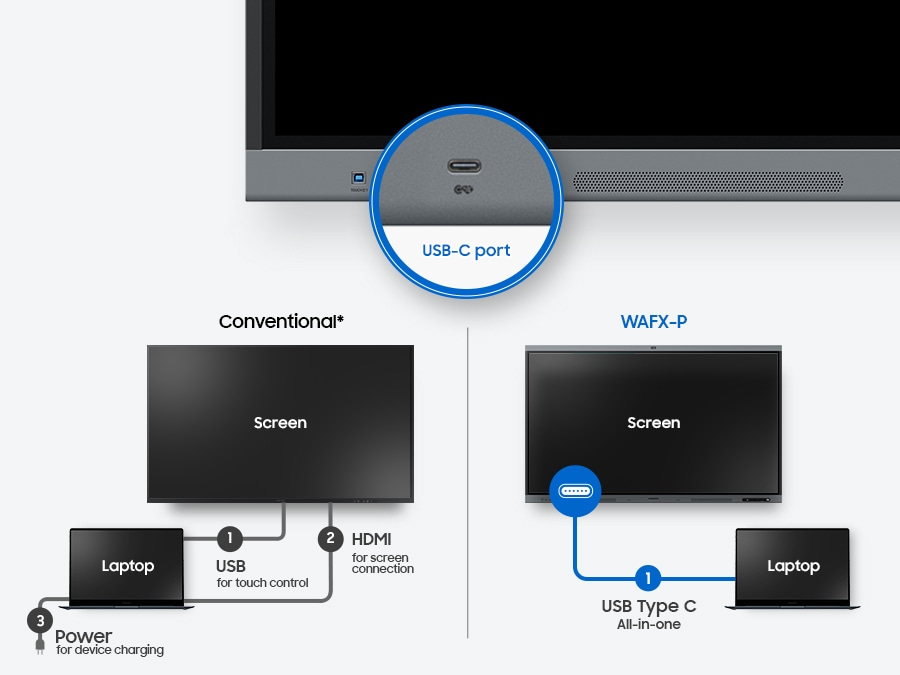
3-in-1 USB-C Port
Convenient connectivity with USB-C
The 3-in-1 USB-C port supports touch control, screen connection and device charging (up to 65W). Teachers can seamlessly conduct interactive lessons by connecting their devices with just one cable.
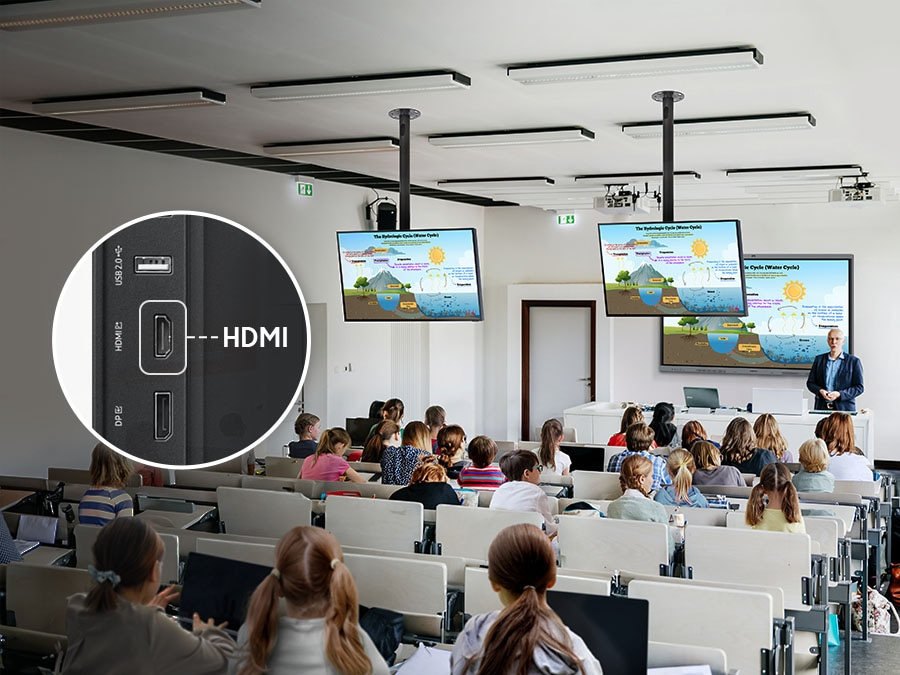
HDMI Out
Accessible content for any class size
With the HDMI Out function, teachers can share their screen on various displays in the classroom. This allows students to clearly view the screen content regardless of the size of the classroom or where they are seated.
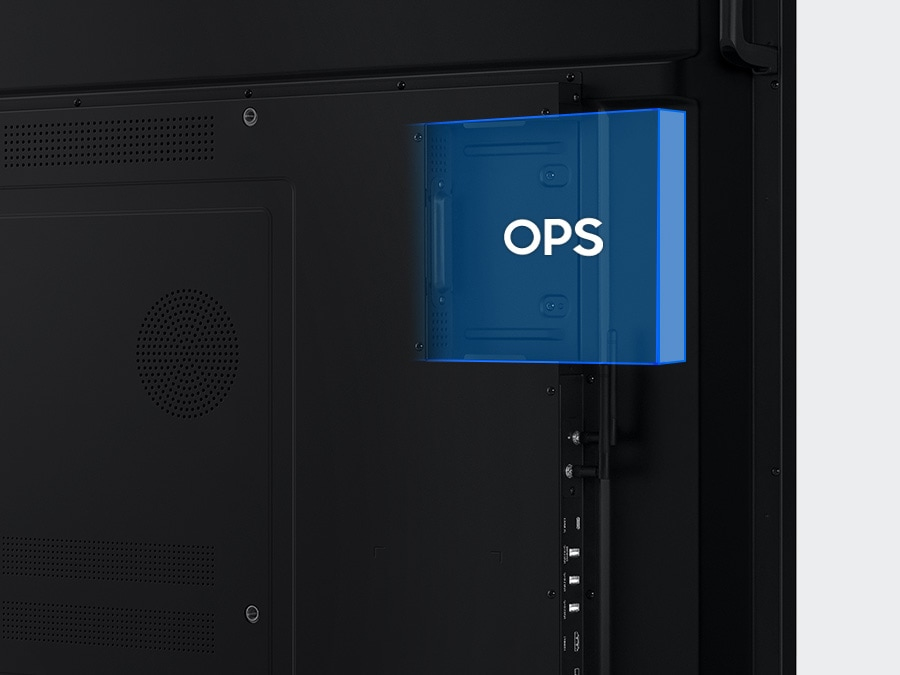
OPS (Open Pluggable Specification)
Use your favorite OS for the learning
With the OPS slot, WAFX-P can function like a Windows PC. Teachers can use the software and workflows they are familiar with from a standard computer directly on the display.
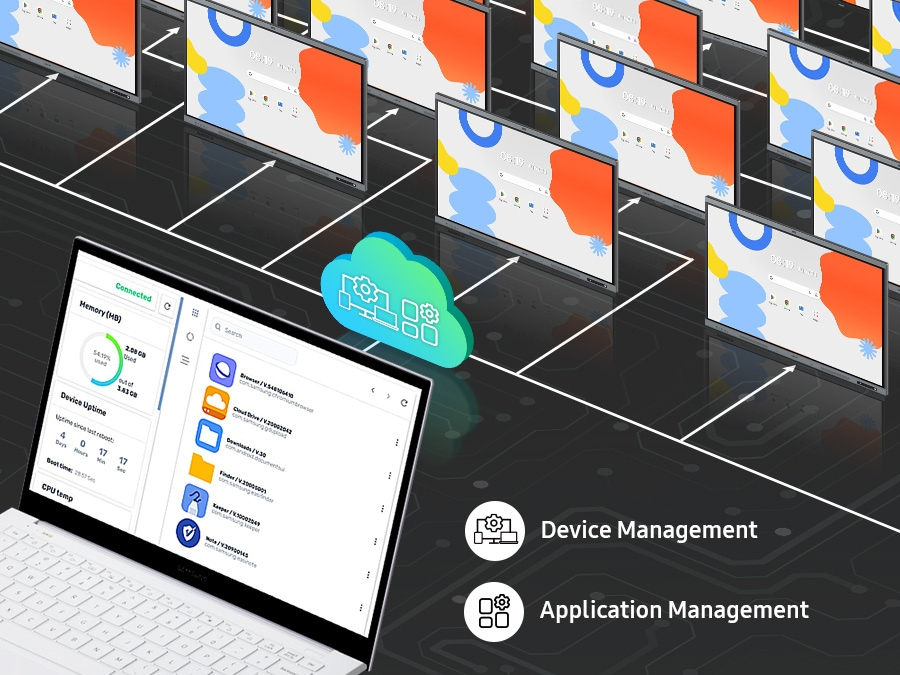
Device Management Solution
Seamless management, efficient operations
WAFX-P provides a centralized management system for remote control of devices and app settings, enabling stable and efficient tech operations across schools and campuses.
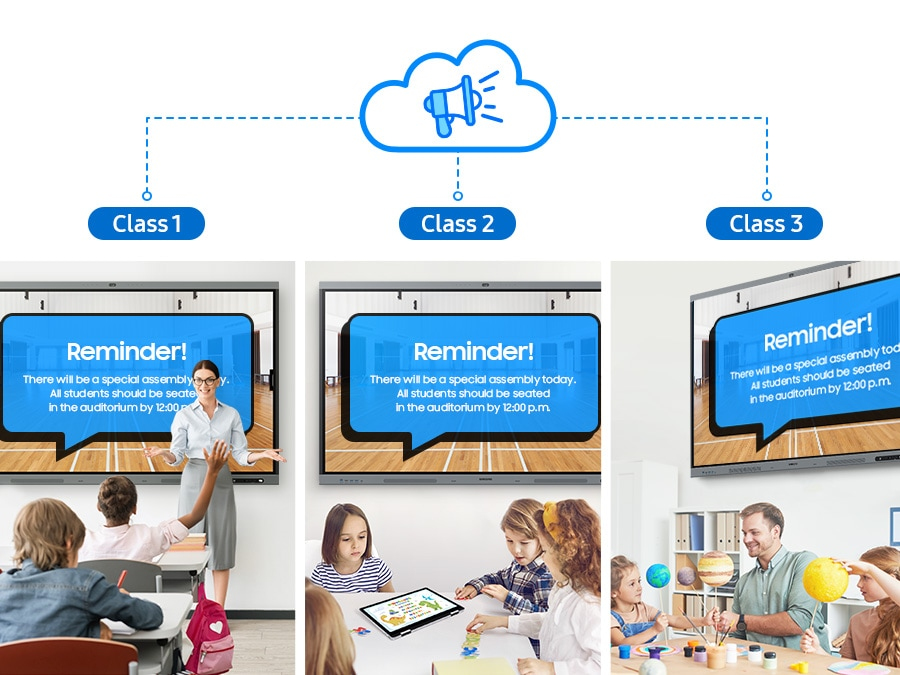
Advanced Messaging
Notify across multiple devices, instantly
Send announcements or emergency alerts instantly to all displays on campus through the proprietary Device Management Solution. WAFX-P ensures time-sensitive messages reach everyone, from students to staff, in real time.
You may also be interested in
| Product |

New
Samsung E-BOARD WA75FX-P
Login for pricing
|
Hot Product
Samsung WM75B interactive whiteboard 1...
Login for pricing
|
Recommended
Samsung WM85B interactive whiteboard 2...
Login for pricing
|
Bestseller
Samsung WM65B interactive whiteboard 1...
Login for pricing
|
Popular
Viewsonic IFP5550-5 interactive whiteb...
Login for pricing
|
 Viewsonic IFP8652-2F interactive white...
Login for pricing
Viewsonic IFP8652-2F interactive white...
Login for pricing
|
|---|---|---|---|---|---|---|
| SKU |
LH75WAFPLGCXEN
|
LH75WMBWLGCXEN
|
LH85WMBWLGCXEN
|
LH65WMBWBGCXEN
|
IFP5550-5
|
IFP8652-2F
|
| Manufacturer |
Samsung
|
Samsung
|
Samsung
|
Samsung
|
Viewsonic
|
Viewsonic
|